Divinum Officium — Help Section
[Getting Started]
[Options]
[Versions]
[Ordo]
[Compare]
[How can I help]
Getting Started
Divinum Officium Desktop displays:
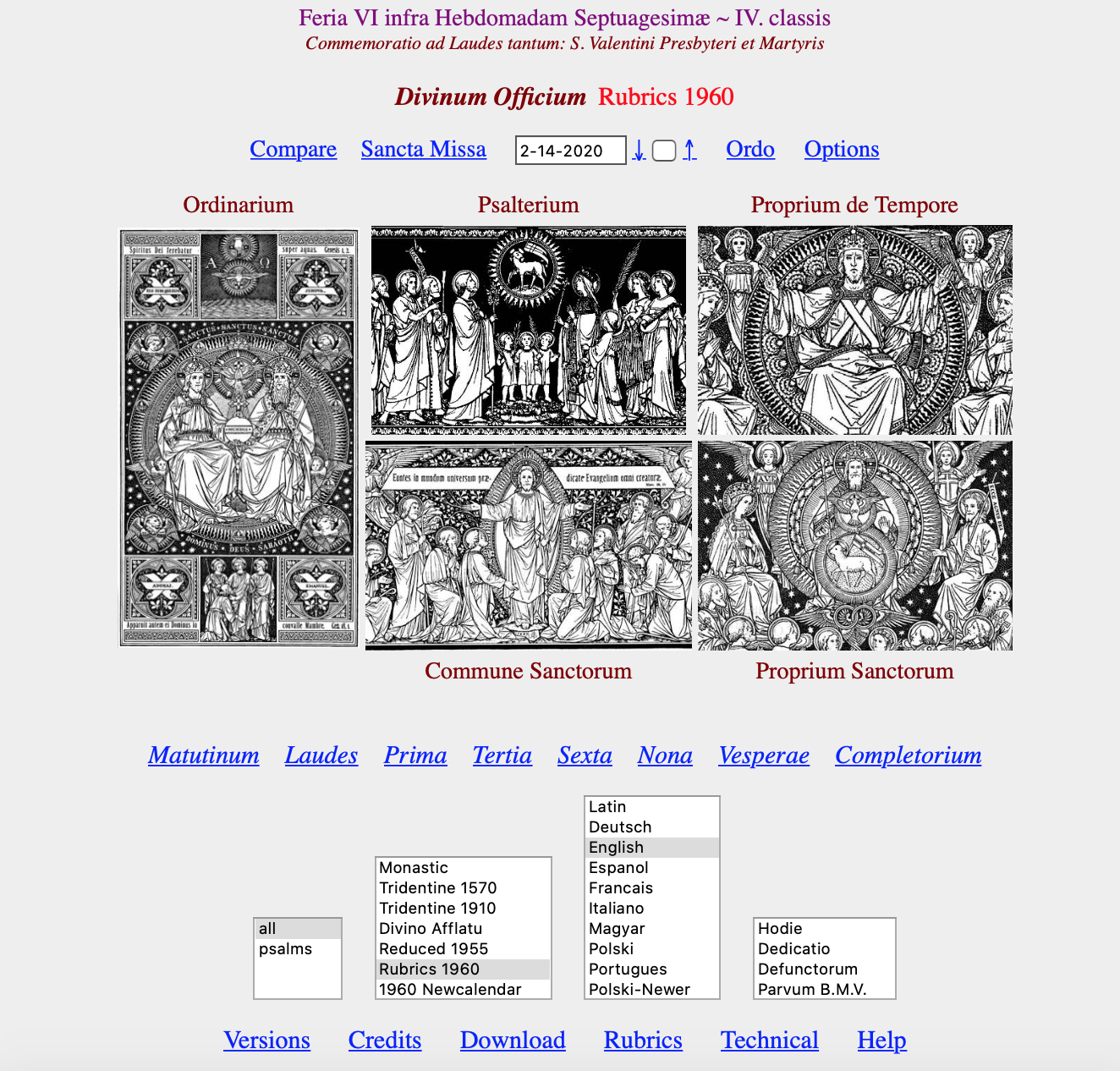
The first line shows the day's Office (or that which is selected),
the second line (if any) is
the Office which is commemorated, or the Scripture which is read at Matins that day. In the top line, the title of the liturgical day is shown in a color correlating to the feast, feria, etc. However, vigils and offices of Our Lady are shown in blue; for contrast, feasts which are celebrated in white are given in black, and offices of the dead are shown in grey.
In the next line, the widget after the title allows to reset the date.
The date selector always appears with the current date, but you may select a different date by pressing
- ↓ down arrow for the previous day;
- ↑ up arrow for the next day;
- or by typing in a new date.
After the change you must press the button next to the widget to obtain the new Office.
Divinum Officium Mobile offers a slightly simpler interface, without the date selector, but does include the up and down arrows to choose a date.
The images in the main table serve only to remind the reader that the Office is collected from the
- Ordinarium = the frame of the Hours;
- Psalterium = the Psalms, forming the main portion of the Hour;
- Proprium de Tempore = the days as they are part of the seasons of the Church year;
- Proprium Sanctorum = the feasts of the saints;
- Commune Sanctorum = the common part of the offices for the saints.
You may find further details at the Technical Information or Rubrics pages.
The eight buttons in blue show the eight hours of the traditional Divine Office;
you may select one by clicking on the tab. If you recite the hours in sequence
(and your browser allows cookies) then the already-completed hours will be listed
in the same color as the titles.
Back to Top
Options
Since you have arrived at this page, you have already used the Help button from
the bottom. Try clicking the Options button to find the following table:

-
Check or uncheck the Priest box, so you will recite the Dominus vobiscum or the Domine exaudi
as appropriate.
- If you check the Building script box, the program will make a list at the bottom of the page with technical information on
how the Office for the specific hour was composed.
- Language for left column selects the language for the first column. It is possible to display the Office in one modern language only. Select the desired modern language as the option here, and the same language as "Language" on the main page.
- Fallback language selects the language for missing translation in modern language, if such translation is also unavailable Latin is in use.
- Pius XII Psalter gives the option of using the Pius XII/Augustin Cardinal Bea Latin translation of the psalms. More information on this psalter is available here and here.
- Use antique hymns will always display Hymns texts with pre-Urban VIII versions (which is default for Tridentine 1570 and Monastic).
- Hide verse numbers You will see no verse numbers in psalms and Matutinum biblical readings.
- Hide inline verse numbers You will see no Scripture verse numbers within breviary verses.
- Hide flexa mark If checked, psalm verses are displayed as printed in Breviarum Romanum, i.e., you will not see a flexa mark, i.e. †, within psalm verses and, for a few verses, the mediant, i.e. *, is moved as compared to Antiphonale Romanum, Liber Usualis, and Breviarum Monasticum.
- Don't use fancy characters check if you can't see these 4 characters in brackets [℟ ℣ ✠ ✙︎].
- You may select white or grey background for the tables of the individual hours. If you experience issues with dark mode, changing this option may help.
- For the Compare feature, you may either select an output all in one row (i.e., a single cell for each selected version. Or you may deselect this option and the content is broken into multiple cells as per the sections from the Ordinary. If the two versions largely differ in sections (e.g., no Preces in Prime in Rubrics 1960) comparable sections may not line up optimally.
- The structure of the colors input is: -relative size [bold] [italic] foreground color.
- If the starting page image extends far beyond the screen, set screen height to a smaller value.
- Testmode allows change program behaviour: when Temporal is selected all Sanctoral data is ignored and in opposite selecting Sanctoral ignores Temporal data. (This option is probably useful only for developers.)
Click OK
to get to the main table again. If your computer allows cookies, this values and the
ones on the bottom row will be saved for the next session.
Back to Top
Versions
The four selectors on the bottom row allows you to control how the
Hours are rendered.
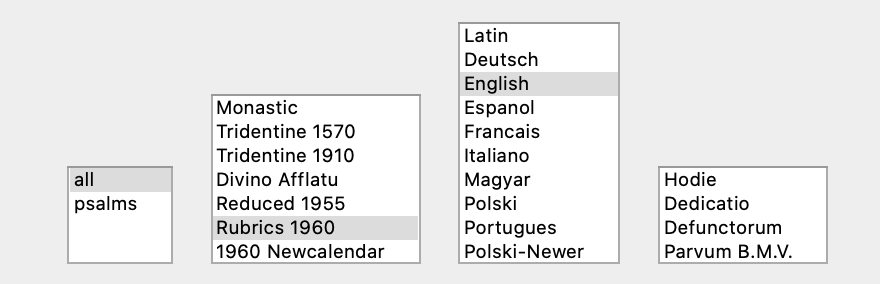
The first selector displays the Office in different formats.
To pray the hour, please select either mode:
- tota prints everything, including the common prayers. (Default)
- psalteria only indicates the common prayers.
- propria only expands the propers but indicates the common prayers, psalms and lessons only.
- lineamenta only indicates the main sections of the Hour, allowing to expand.
|
The second selector chooses the rubrical structure, of which various options are provided and are gradually expanded. The program defaults to the standard 1960 code of rubrics. |
The third selector designates the language in which the Office is displayed in the right-hand column. If a translation is not fully available in a particular language, the second column in the displayed Office will default to English (or whichever fallback language has been selected in the options). If you select the same language as the first column, only that language will be displayed in a single column.
Cantilenæ provides Gegorian Chant capabilities. |
The fourth selector permits a choice from among several (votive) Offices from the Commons and, in particualr, the Officium Defunctorum or the Officium Parvum of the Blessed Virgin Mary. |
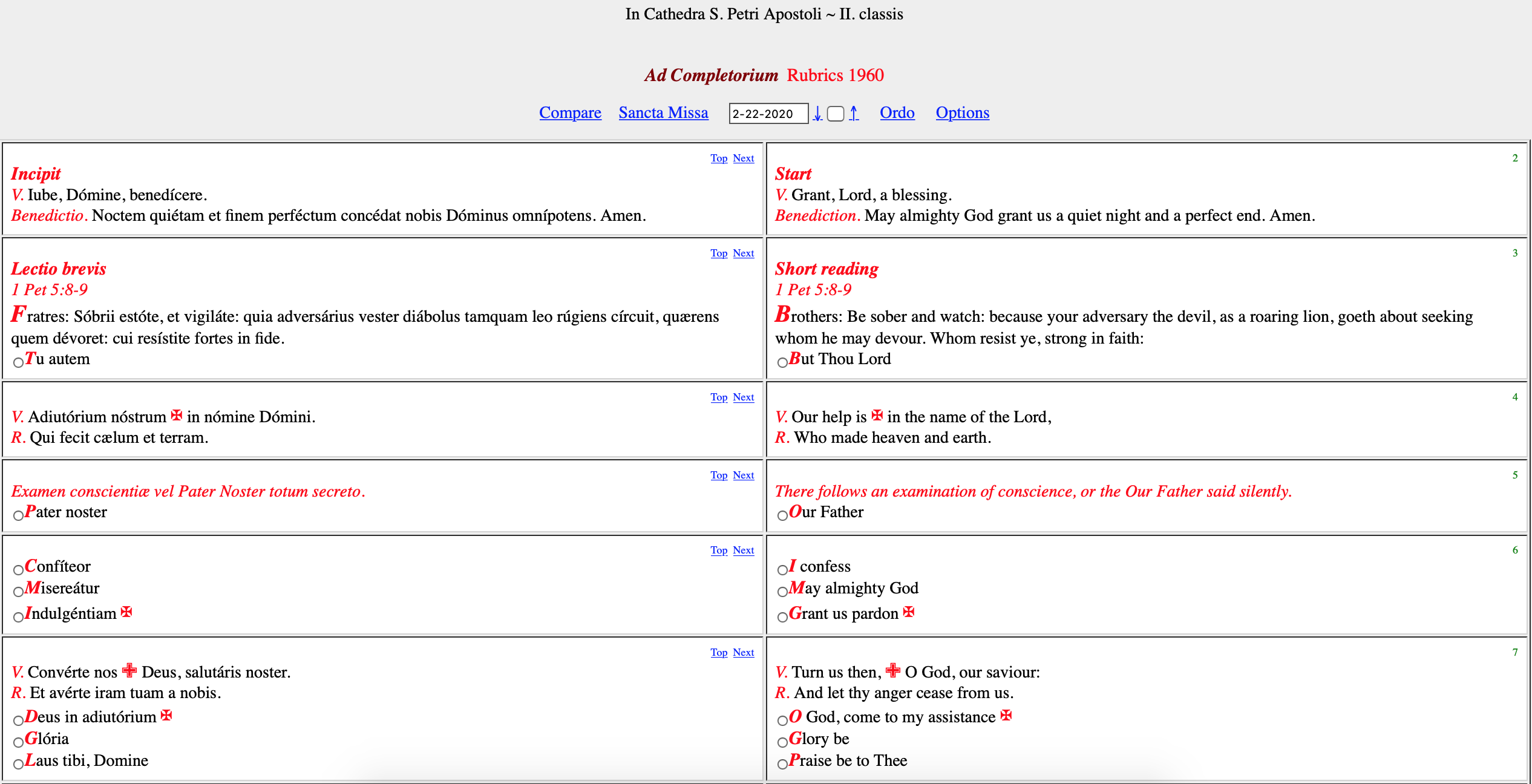
For instance, when choosing the version Divino Afflatu – 1939 and, in the leftmost selector, choosing psalteria, clicking on the
Completorium button is going to result in:
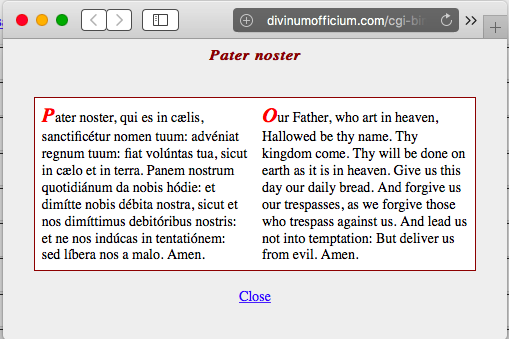
- Click the radio button next to the indicated element in the Hour, and the text will come up in a separate window as a popup. The picture shows the Pater Noster as popup.
- In any selection, clicking on Top brings the cell to the top, Next brings the next cell to the top.
- The number in the right part of the cell is for reference.
- If, in
lineamenta style, you click on any radio button next to the section title,
that part will be expanded. Click an another to change the expanded part, or on the same
section's button again, to contract the expansion.
Within the text:
- ✠︎ stands for the regular Sign of the Cross (forehead, breast, left, then right shoulder).
- + stands for making a cross with your thumb on your lips.
- ✙︎ stands for making a cross with your thumb on your breast.
Back to Top
Ordo
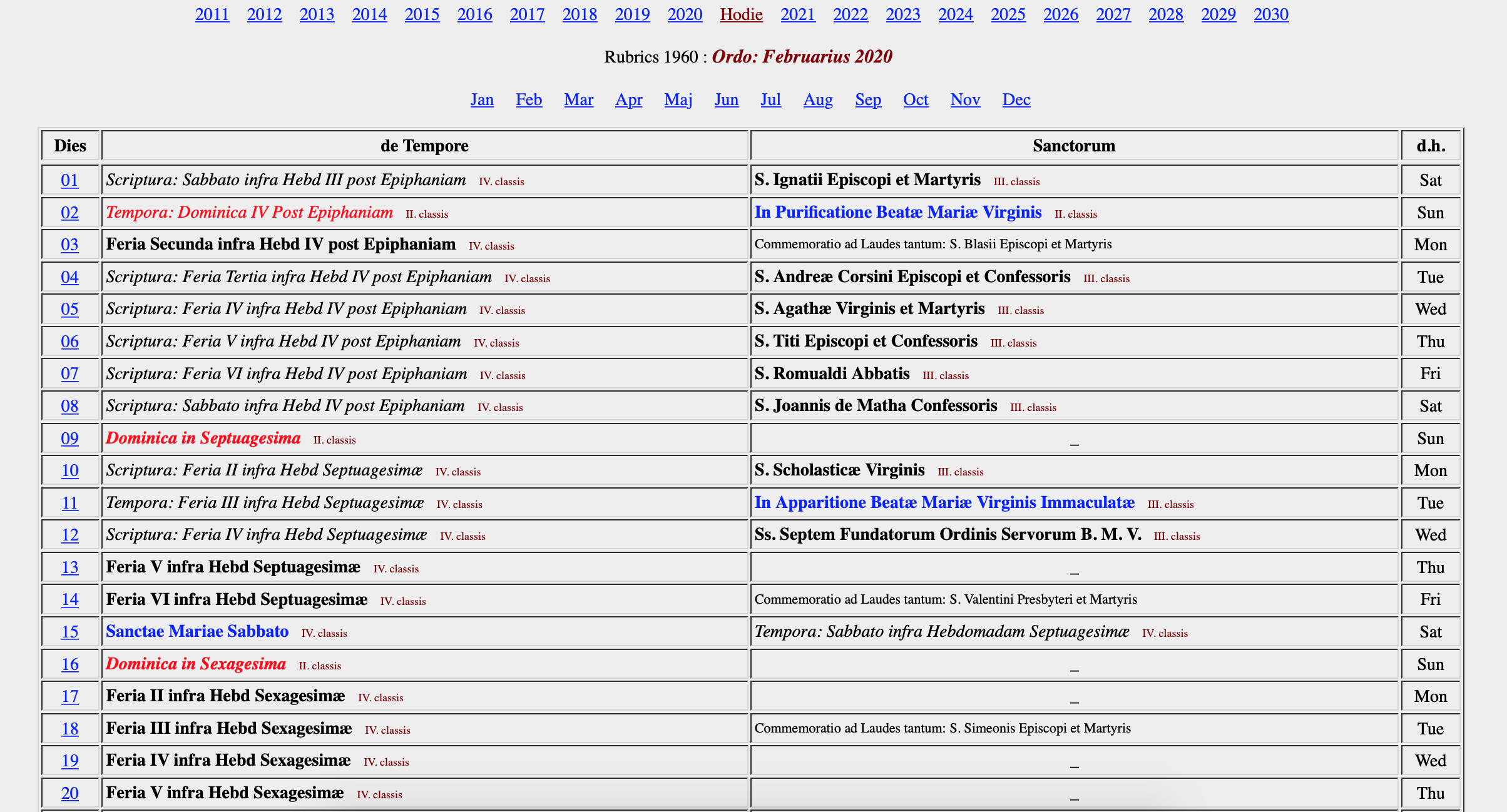
You may also change the date by clicking on Ordo tab. The Ordo is divided in two columns: the Proprium de Tempore and the Proprium Sanctorum. On a given day, the side which is displayed in bold-face type represents the correct Office for that day in a specific rubrical structure (i.e. Rubrics 1960).
One can select another date by clicking the day of the month in the first column. Also, you may change the year or month at the top, or the rubrical structure (1570, 1910, etc.) at the bottom of the page.
Back to Top
Compare
It is possible to compare rubrical structures by clicking on "Compare", near the date selector on the Officium screen. One can then select two different rubrical structures (e.g. Tridentine 1570 and Reduced 1955) to compare any hour of the Office under each rubrical structure.

It is also possible to compare the Ordo for these two rubrical structures by clicking "Ordo". The top line will display the first rubrical structure and the bottom line will return the second selected rubrical structure. To return from displaying the compared Ordo to the compared Officium, click "Hodie" at the top of the screen. Finally, to return to displaying the Office in one version alone, click "One Version" at the bottom of the screen.
If Divinum Officium has been downloaded to one's computer via GitHub as a local web host, it is possible to edit the individual files and track changes. Please see the Download page for details.
It is our hope that the entire Divinum Officium Project will help everyone to understand the Divine Office and Mass better, and help people to start to pray the Breviarium Romanum and the texts of the Missale Romanum on a daily basis.
Back to Top
How Can I Help?
The Divinum Officium Project is always looking for help and volunteers, particularly in transcribing texts for the various modern languages. We would also be delighted to add the various rites of religious orders.
We seek individuals who are well-versed in the rubrics, and who also have sufficient technical knowledge to utilize our GitHub repository and to submit changes therein. If you wish to help in this way, please create a GitHub account first, and do take some time to review our Technical page.
If you have an error to report, you may do so through GitHub (by submitting corrections as a pull request) or, alternatively, via email to canon DOT missae AT gmail DOT com. Please be as specific as possible. Please indicate where and when the error is occurring (e.g. Divino Afflatu rubrics, date, ad Laudes) as well as what should correctly appear. It is always helpful if errata are accompanied by a justification from the rubrics. Click here for some known problems and deficiencies. Your help is greatly appreciated.
If the site is not displaying properly, please first clear both cache and cookies in your browser. This often suffices to resolve problems.
We also accept monetary contributions via Venmo or PayPal. Please see our main page. Our maintenance costs increase yearly; may God reward your kind generosity. Any donations received over and above the operating and maintenance costs of this website go to support the work of Roman Catholic clergy and religious involved with the traditional liturgy. All friends, users, and benefactors are remembered in a monthly Traditional Latin Mass as well as daily in the prayers of this Divine Office.
T.A.D.M.N.
|